fxAddGlass
Client-side
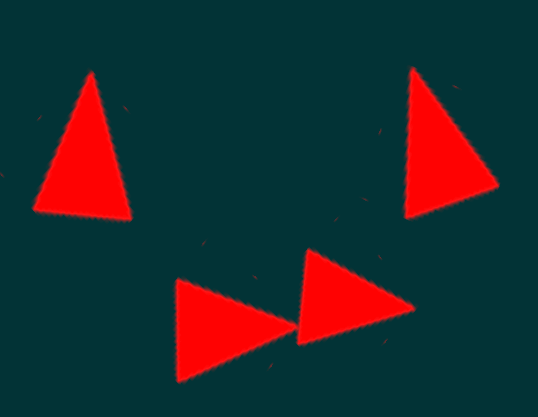
This function creates a glass particle effect.
OOP Syntax Help! I don't understand this!
- Method:Effect.addGlass(...)
Syntax
bool fxAddGlass ( float posX, float posY, float posZ, [ int colorR = 255, int colorG = 0, int colorB = 0, int colorA = 255, float scale = 1.0, int count = 1 ] )Required arguments
- posX: A float representing the X position of the glass.
- posY: A float representing the Y position of the glass.
- posZ: A float representing the Z position of the glass.
Optional arguments
Note: when using optional arguments, you might need to supply all arguments before the one you wish to use.
- colorR (default: 255): The color (Red) of the glass effect.
- colorG (default: 0): The color (Green) of the glass effect.
- colorB (default: 0): The color (Blue) of the glass effect.
- colorA (default: 255): The color (Alpha) of the glass effect.
- scale (default: 1.0): A float representing the size of the particle effect, where 1 is the standard size.
- count (default: 1): The density of the particle effect.
Returns
Returns a true if the operation was successful, false otherwise.
- bool: result
Code Examples
client
This example creates a glass particle effect at the position of the player who use /addGlass command.
function addGlassParticle(cmd,r,g,b,a,scale,count) if r and g and b then local x,y,z = getElementPosition(localPlayer) fxAddGlass(x+3,y,z,r,g,b,255,1.0,5) endendaddCommandHandler("addGlass",addGlassParticle)Gallery
Click on the image to view the full preview along with the description.